June 19, 2026
"Ai-deation", Concept "Gener-Ai-tion" and "Visualiz-Ai-tion"
Daniel Chavarria
Here I'm Using Ai tools to Conceptualize Refine and Visualize designs and how useful could be for Design professionals.
Make Everything Ai
Rather, let AI make it all.
There's a race of who's the one that's going to take the most advantage of this technology, Ai has come to revolutionize the world and all industries, this is no difference for the design and 3D modeling industry.
As a design professional, I'm always keen to explore upcoming technologies and processes, this is my approach on understanding AI tools to aid on industrial design activities.
Ideation and concept generation with AI Tools
I think ideation can be both easy and hard; could be easy to go wild with hundreds of ideas, but will it be hard to actually land an idea that works, we might have narrowed down an idea during the research and insights to obvious solution, or we could get stuck on hard problems, where it seems there's not a good enough idea.
Let's explore what Grok Imagine can do for us generating a design concept.
Prompt:
A modern computer mouse professional looking, tailored to designers, soft 3d texture on gripping surfaces, charcoal gray color with rgb(198, 55, 39) color accents.
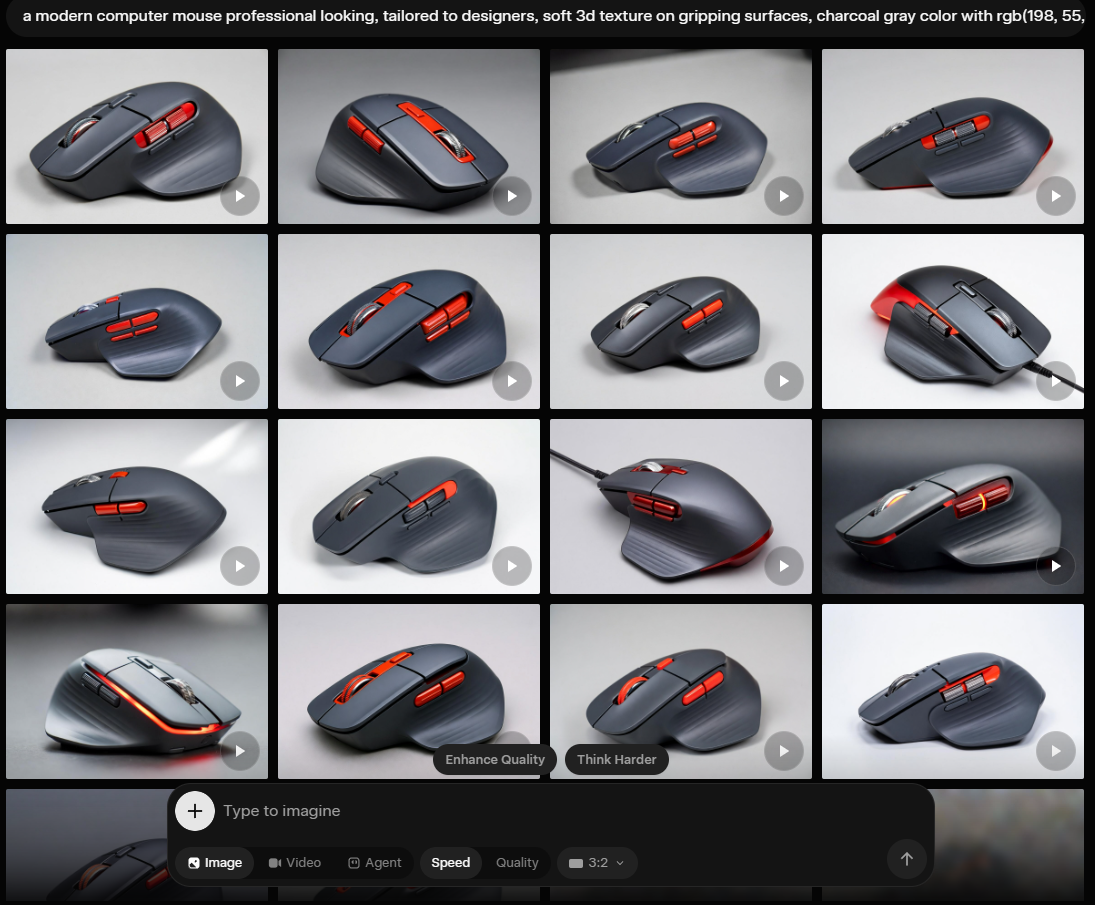
Here you can see the issue, i described what i wanted to see, but didn't specify that i wanted a new design or concept, Grok just showed me what it knows, the most common mouse tailored to professional industrial designers it's the Logitech's MX Master 3 so that's what it showed me.
my refined prompt would be:
Generate a new concept for a modern computer mouse professional looking, tailored to designers, soft 3d texture on gripping surfaces, charcoal gray color with rgb(198, 55, 39) color accents.
but then i came into another wall, I've been heavily using my Grok account for this AI testing and i just used all my credits, I'm stuck behind a paywall, I either would have to upgrade my service or wait for the service credits to reset.
Lets try with Gemini Nano Banana
Prompt:
Generate a new concept for a modern computer mouse professional looking, tailored to designers, soft 3d texture on gripping surfaces, charcoal gray color with rgb(198, 55, 39) color accents.
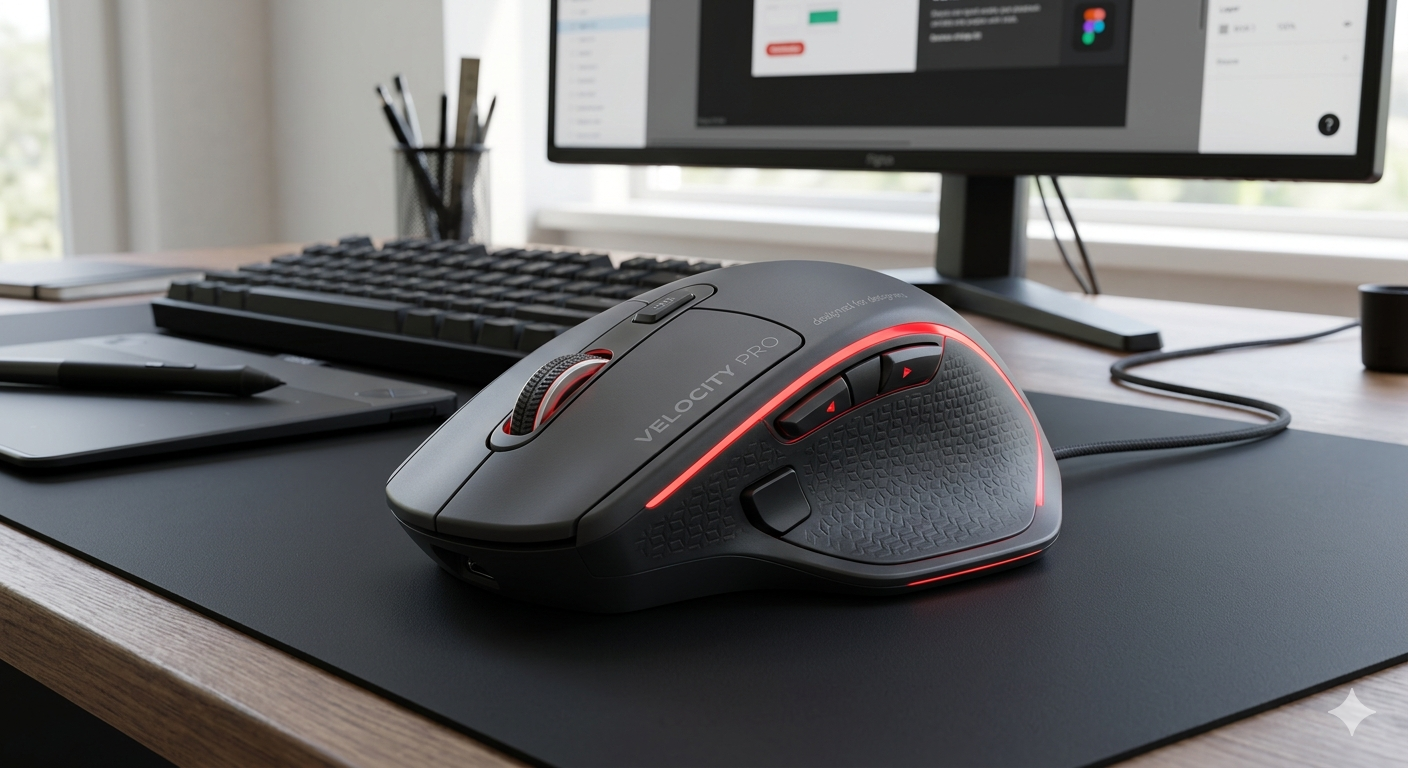
Difference with Grok that generates multiple images with one prompt, Gemini only showed me one option, after adding a follow up prompt:
Generate Multiple Alternatives
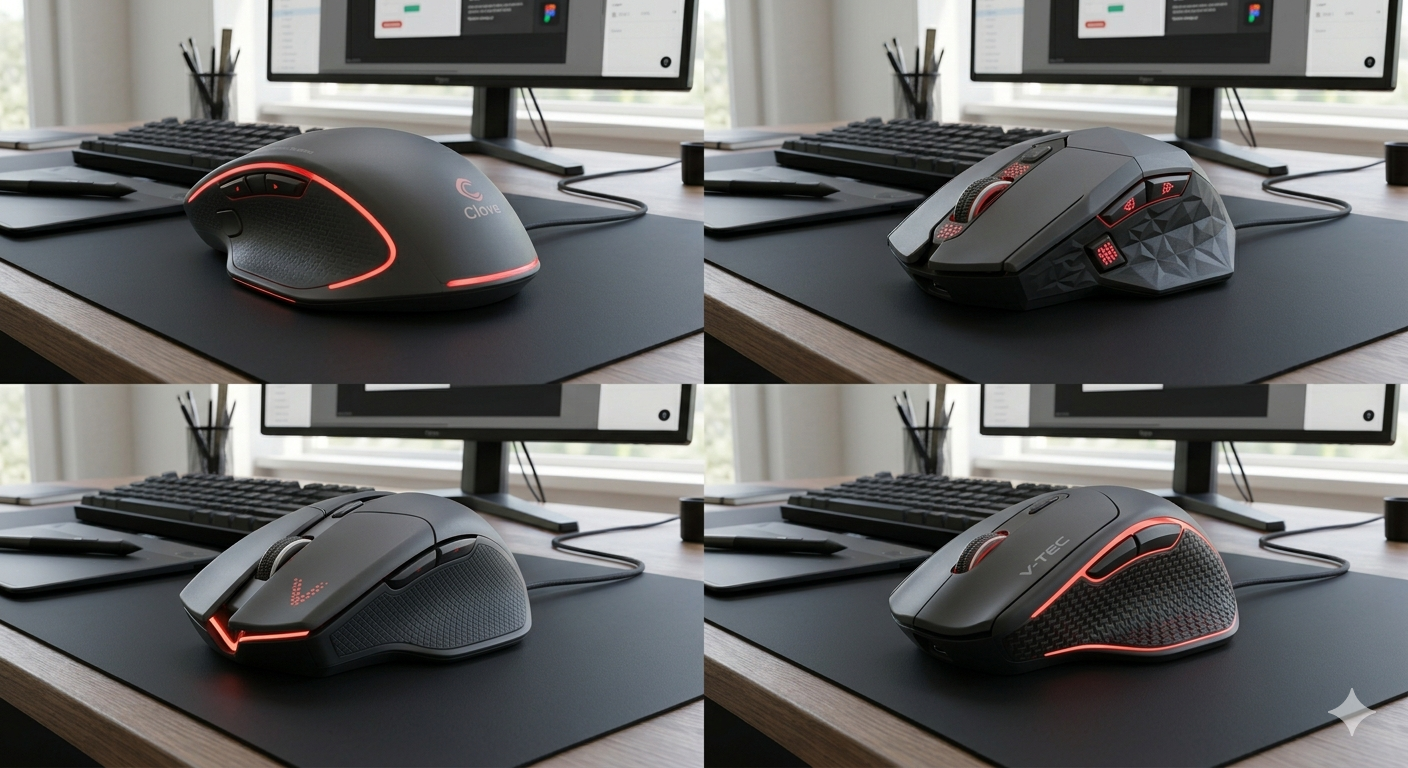
this prompt worked better to conceptualize different designs, but there's no much variability on the overall style, a computer mouse it's a well defined object, so deviating from it's design and general morphology it's specially complicated for any AI model.
in my point of view:
AI isn't quite there yet to generate "original" concepts by it's own
AI as a tool to Explore our own concepts
I had a recent conversation with a friend and Designer colleague, he introduced me to Vizcom, an AI tool specifically tailored to designers, you feed it a concept and it would iterate trough the design and even generate 3D models.
this is an example on how AI could be valuable for designers, you feed the main ideas trough an sketch or drafted 3D model, then AI can use our lines to fill the gaps, give an specific style and work as a quick visualization tool, but again, we should lower our expectations, AI won't generate something truly unique (or will it?), it will use whatever data was used to be trained or feed and generate an output from there.
Isn't this exactly what designers do?
when creating concepts we look at multiple sources, analogue products, styles to implement, we give it our own flavor (something we have developed trough years of absorbing forms shapes and colors from the world), in that case, AI has unlimited access to what exists on the internet, much more of what we could ever gather trough decades of study and work; a double edge sword, AI doesn't have a unique identity, we'll need to carefully craft the feed of an AI tool to get meaningful results that align with our own identity, otherwise, the designed output could come up as generic, one more computer mouse in the shelf.
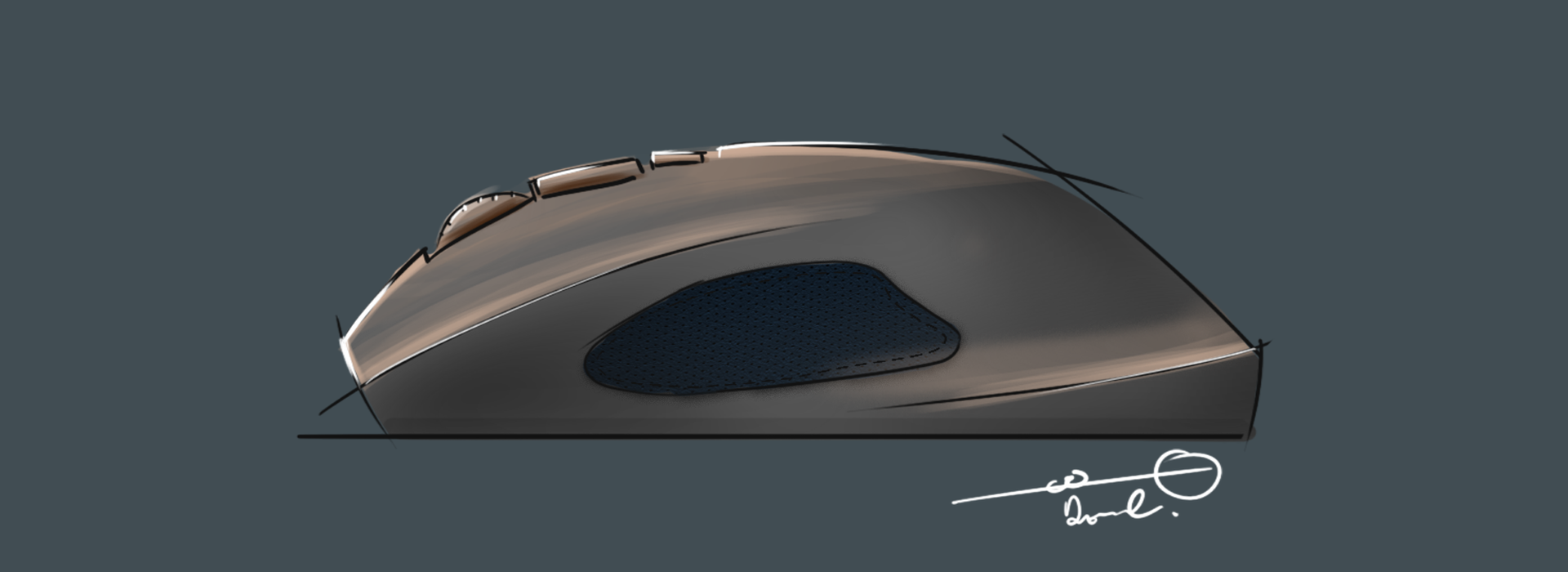
I've made a simple sketch of a mouse, see if we can use the sketch to visualize the product, you can see the quick exploration here:
Mouse Design From Sketch
First just a simple prompt to generate a Render from the sketch, as the sketch it's in side view only, it returned a side view render, it took its liberties with the materials as the sketch it's very simple.
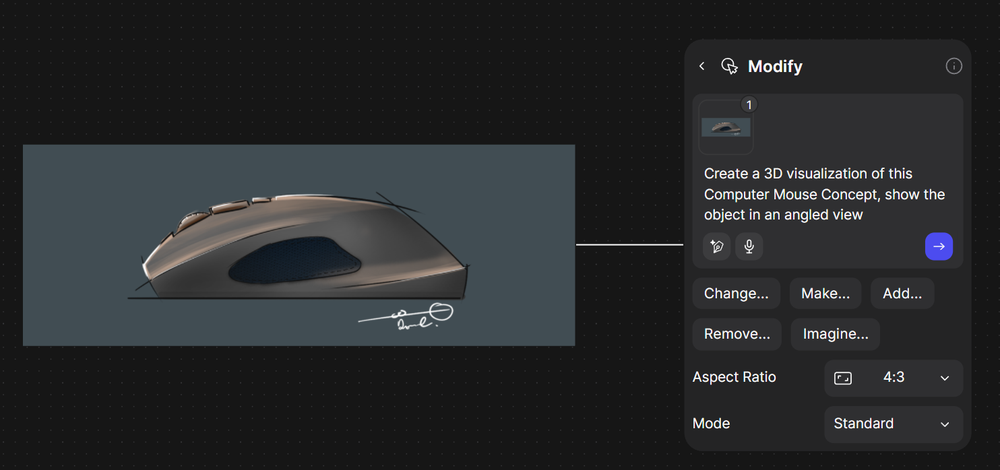
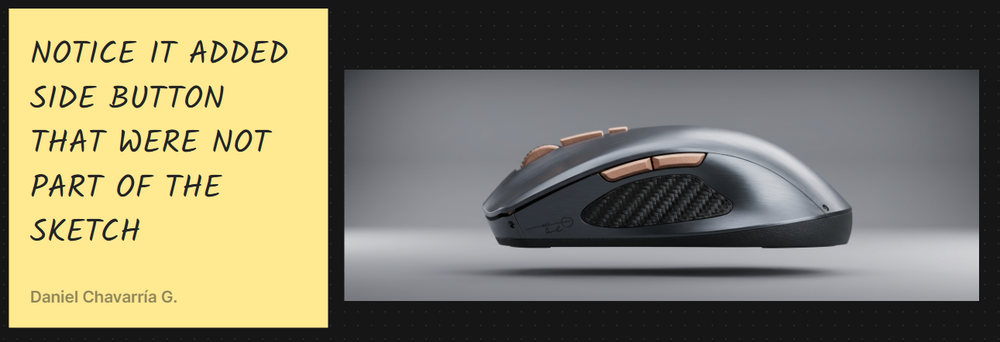
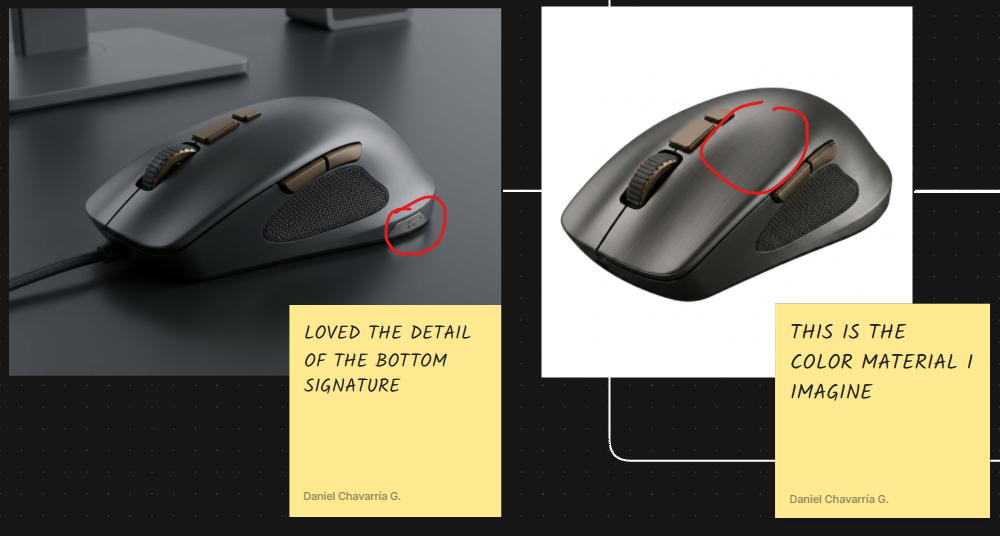
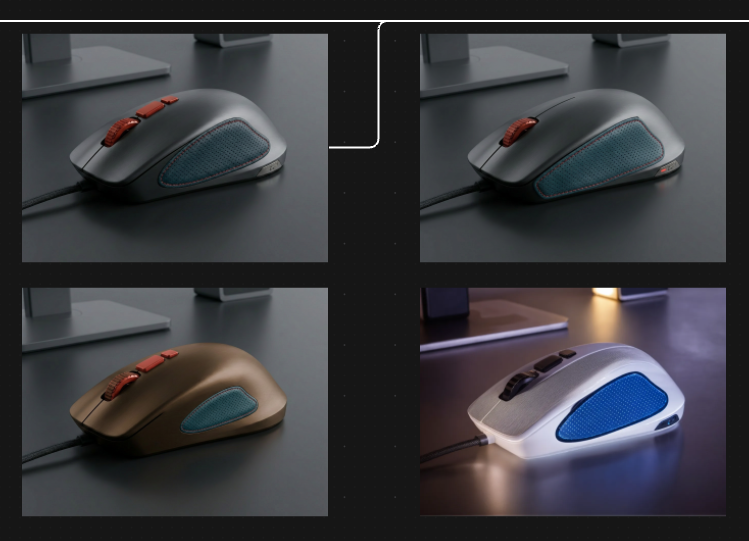
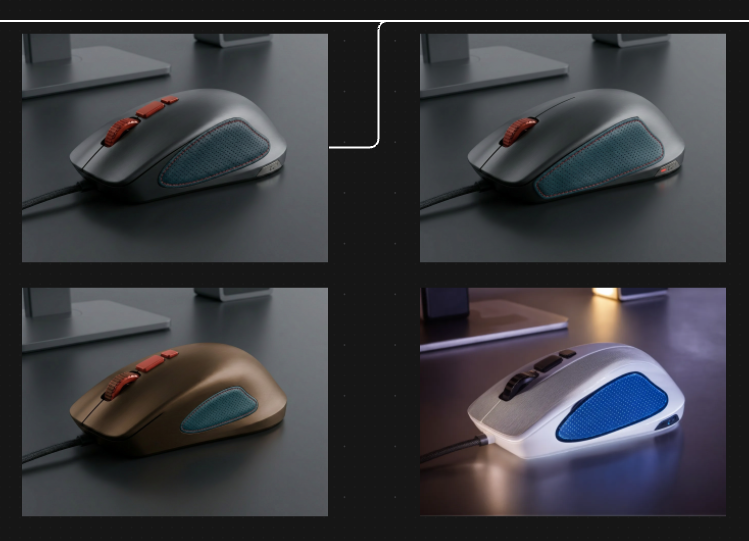
Then i had to modify the prompt for a 3/4 rendered view, here it gave me two similar designs, its using most of the elements of my sketch but not the defining lines.
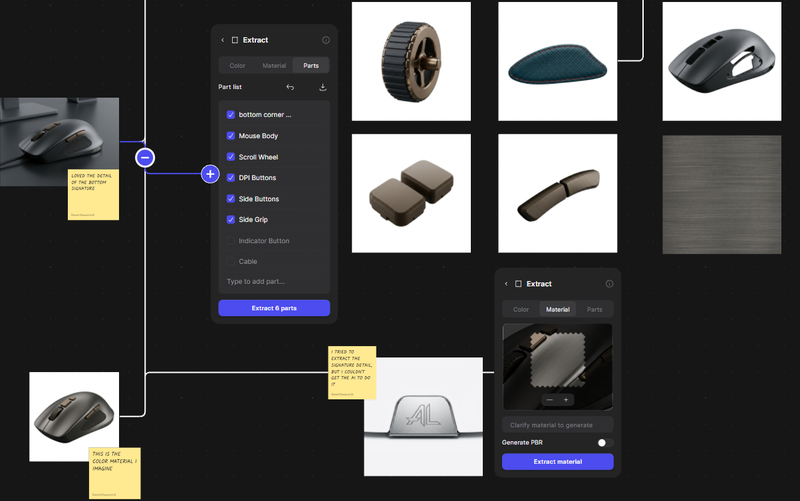
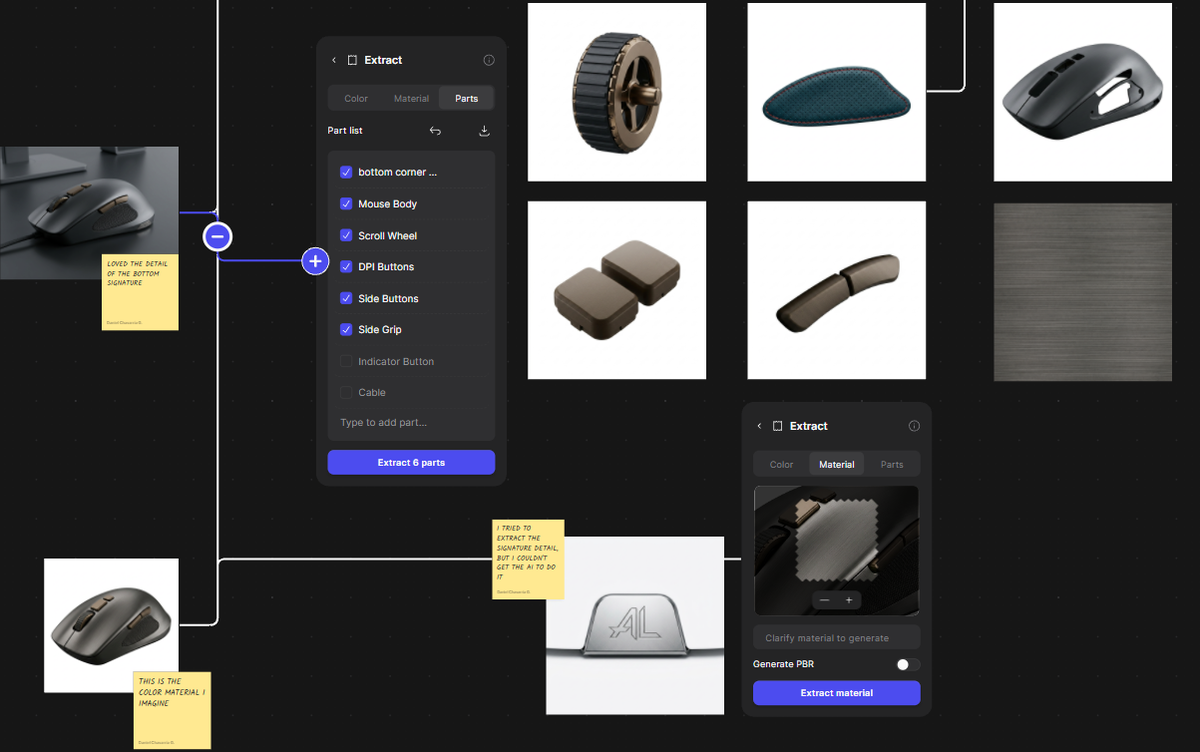
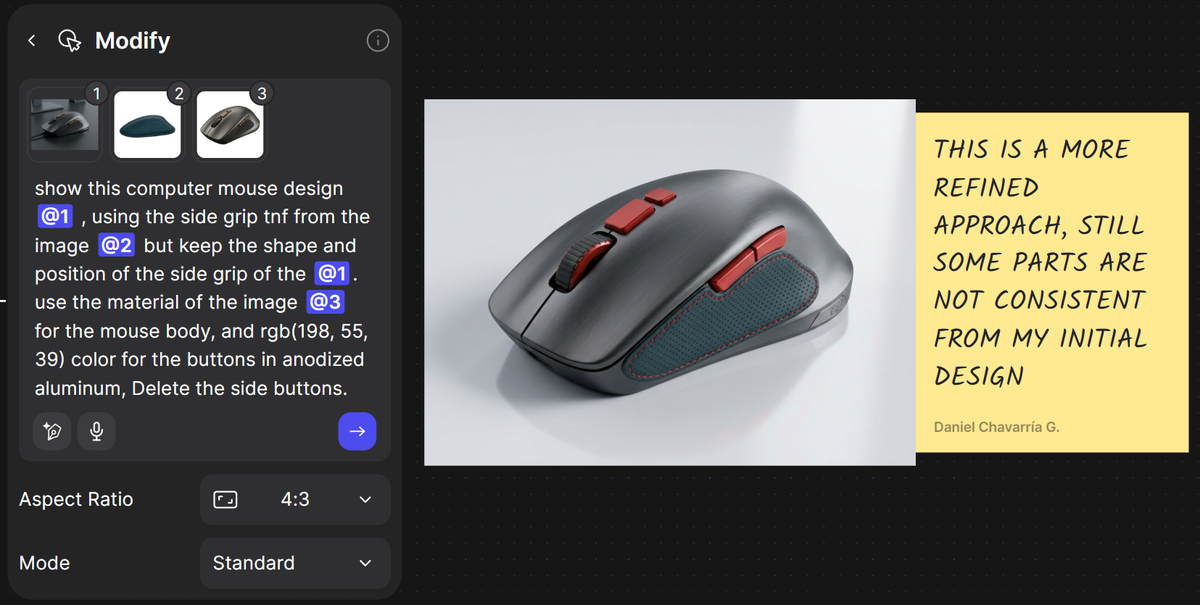
I tried the Vizcom function to extract parts from a render trying to define each part individually then assemble a more refined version but i had mixed results.
Can AI Visualize Product Designs?
It depends on what context it's given and what the AI has been trained on, AI models seems to be very good at imitating what's existing but they lack consistency, image models have a hard time figuring out specific characteristics unless well defined specifications or a very common occurrence from it's training datasets.
Product Visualization with Ai tools:
Amazing:
- Quickly show a rendered version of a sketch or a blank 3D model
- Explore versions of an existing render, materials, lighting colors.
- Explore product styles, (E.G, Professional Mouse VS a Gaming Mouse)
Nope (yet?):
- Generate truly authentic designs
- Use the AI to generate multiple renders and views of the final version of the same product, might do a decent job but it would have it's inconsistencies.